
What is a Federated Apple ID?
A Federated Apple ID is an Apple ID managed by an organization and linked to its domain through a federation service like Azure Active Directory (AD) or Okta. This setup allows employees to use their work credentials (e.g., email and password) to log in to Apple services, such as iCloud and iMessage, on their devices. Federation offers several benefits to organizations:
- Simplified IT Management: Admins can centrally manage accounts and revoke access when employees leave the organization.
- Enhanced Security: Federation enables single sign-on (SSO) and multi-factor authentication (MFA) enforced by your identity provider.
- User Experience: Employees no longer need to create separate Apple IDs for work, as their organizational credentials handle everything.
How to Determine if an Apple ID is Federated?
- Login Behavior
- When signing into Apple services, federated Apple IDs typically redirect users to the organization’s SSO login page (e.g., Okta or Microsoft 365 login).
- If you’re redirected to a company-specific login page, your Apple ID is likely federated.
- If you’re not redirected and instead see the regular Apple ID login page, your Apple ID is not federated.
- When signing into Apple services, federated Apple IDs typically redirect users to the organization’s SSO login page (e.g., Okta or Microsoft 365 login).
- Ask your IT Administrator
- If you’re unsure, reach out to your organization’s IT department. They can confirm if your domain is federated.
- Test it!
- To confirm if your Apple ID is federated, follow these steps:
- Step 1: Go to Apple ID Login.
- Step 2: Enter your Apple ID (work email address).
- Step 3: If your ID is federated, you’ll be redirected to your organization’s identity provider login (e.g., Okta, Azure AD).
- To confirm if your Apple ID is federated, follow these steps:
How Does This Impact SnippetSentry Onboarding?
SnippetSentry is designed to automate and streamline the onboarding process. However, for federated Apple IDs, there may be additional steps required to ensure compatibility:
-
We’ll need to test user accounts configured specifically for your organization to determine if any custom development work is necessary.
If development work is needed, we’ll provide you with clear next steps, timelines, and expectations before proceeding with onboarding.
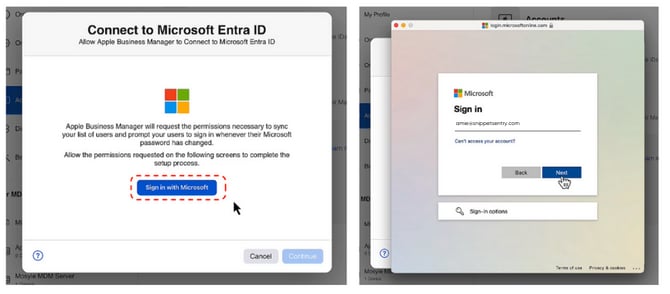
Your Next Steps
If your organization has federated Apple IDs, you can begin preparing for onboarding with SnippetSentry by clicking the Step-by-Step guide here.